- About Us
-
 Secure, unlimited storage to ensures efficiency as well as high and continuous data access demand.
 Virtual server integration for 3D Rendering, AI or ML
 Enhance application capacity and availability.
 Access to an all-inclusive stack for AI development, driven by NVIDIA’s powerful technology!
 FPT Web Application Firewall provides powerful protection for web applications
 Advanced virtual server with rapid scalability
 Backup and restore data instantly, securely and maintain data integrity.
Advanced virtual server with rapid scalability
Access to an all-inclusive stack for AI development, driven by NVIDIA’s powerful technology!
Enhance application capacity and availability.
Backup and restore data instantly, securely and maintain data integrity.
Recovery, ensuring quick operation for the business after all incidents and disasters.
Backup and restore data instantly, securely and maintain data integrity.
Advanced virtual server with rapid scalability
Access to an all-inclusive stack for AI development, driven by NVIDIA’s powerful technology!
Enhance application capacity and availability.
Backup and restore data instantly, securely and maintain data integrity.
Recovery, ensuring quick operation for the business after all incidents and disasters.
 Diverse throughput and capacity to meet various business workloads.
Secure, unlimited storage to ensures efficiency as well as high and continuous data access demand.
FPT Web Application Firewall provides powerful protection for web applications
Intelligent and Comprehensive Virtual Web Application Firewall - Security Collaboration between FPT Cloud and Penta Security.
The Next generation firewall security service
Easily store, manage, deploy, and secure Container images
Safe, secure, stable, high-performance Kubernetes platform
Provided as a service to deploy, monitor, backup, restore, and scale MongoDB databases on cloud.
Provided as a service to deploy, monitor, backup, restore, and scale Redis databases on cloud.
Provided as a service to deploy, monitor, backup, restore, and scale PostgreSQL databases on cloud. System Monitoring Solution anywhere, anytime, anyplatform
 Helps reduce operational costs by up to 40% compared to traditional BI solutions, while improving efficiency through optimized resource usage and infrastructure scaling.
 - Pricing
- Partner
- Event
VPN Site-to-Site
-
 Quick Guide
-
 Detailed Instructions
-
 FAQs
FAQs
-
 VPN Site-to-Site (new version)
-
Common VPN Device Configuration
- VPN Site-to-Site Configuration with Palo Alto
- VPN Site-to-Site Configuration with Fortigate
- VPN Site-to-Site Configuration between FCI and AWS (Virtual private gateways)
- VPN Site-to-Site Configuration between FCI and AWS (Transit-Gateway)
- VPN Site-to-Site Configuration between Openstack portal and VMW
-
VPN Connection Management
- Create a VPN Connection
- Edit VPN Connection
- Enable/Disable VPN Connection
- Delete VPN Connection
- Create Customer gateway
- Edit Customer gateway
- Delete Customer gateway
- Service Authorization Management
- Setting up alerts via the Cloud Guard service
- Service monitoring via the Monitoring feature
- Monitoring service through Logging feature
- FAQs
-
Common VPN Device Configuration
In this example, we will create a VPN Site-to-Site connection with the parameters shown in the topology below.
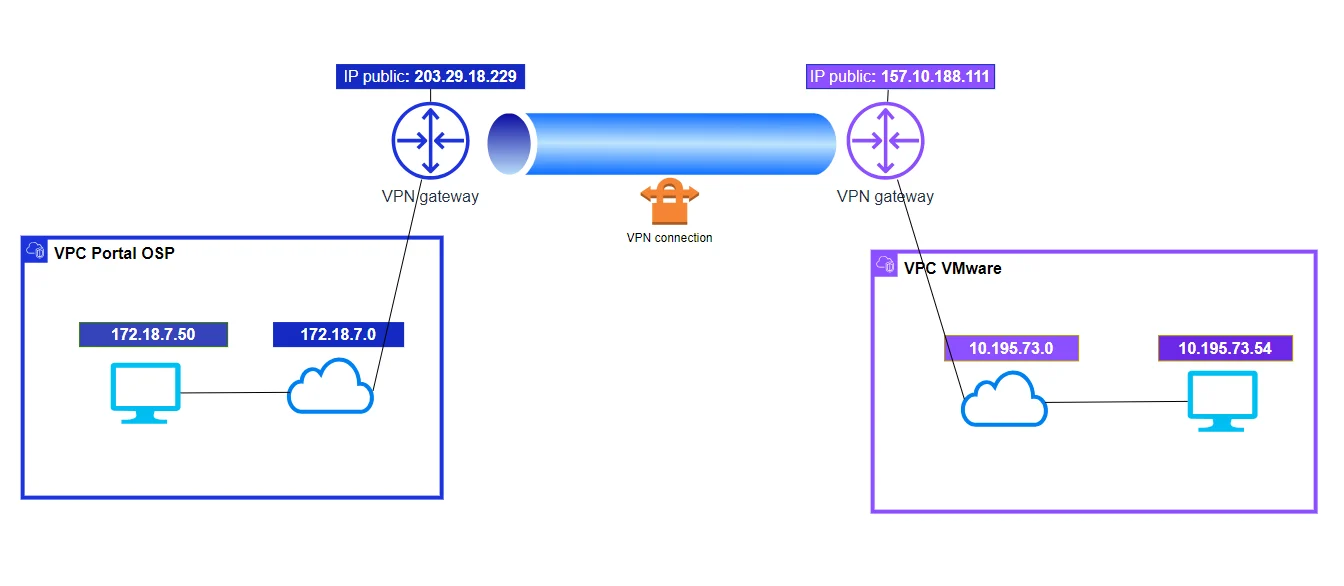
Step 1: Configure VPN_AAS on Openstack
Access and create a VPN Site-to-Site on https://console.fptcloud.com
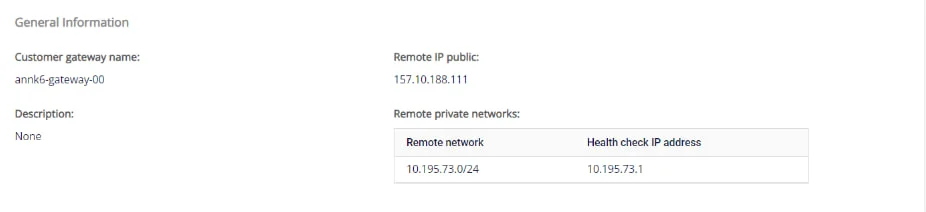
-Tạo Customer Gateway
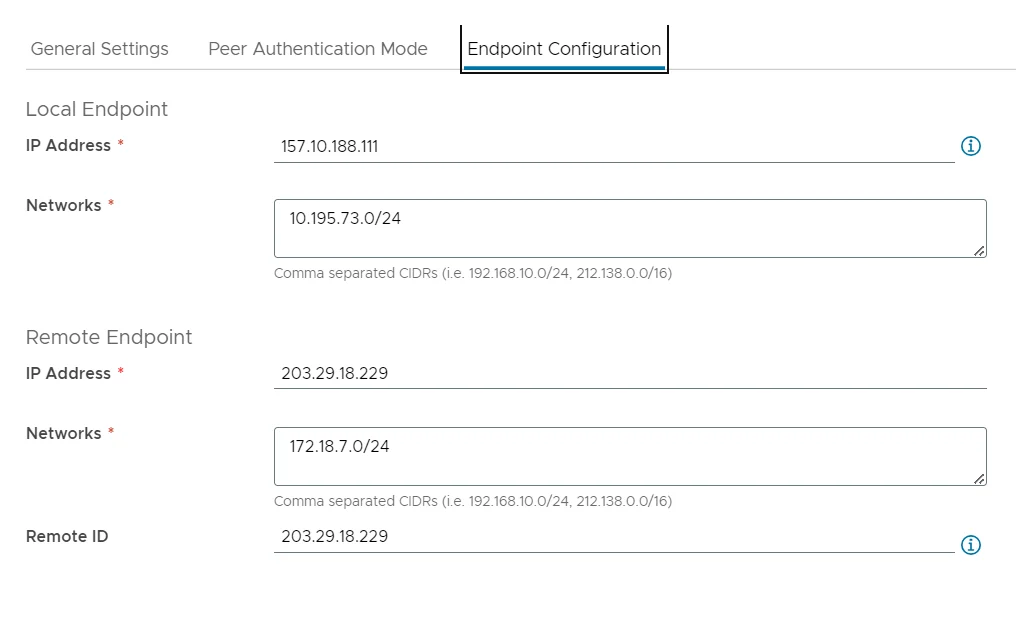
+Remote IP public: is the floating IP of the VPN gateway VMW
+Remote private network: is the Lan Subnet sequence that needs to be peered by VMW
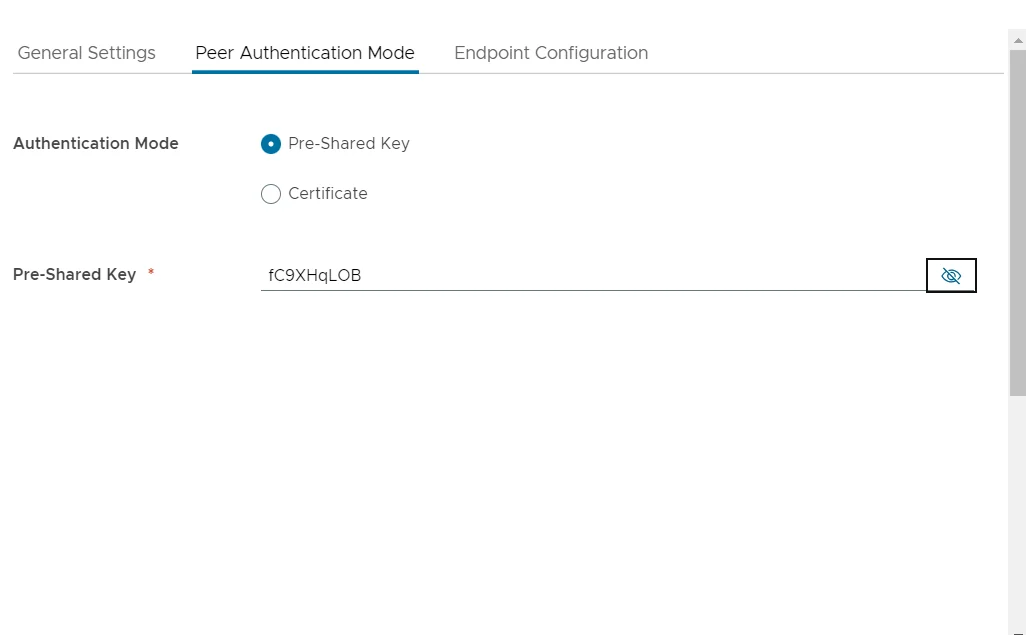
- Create a VPN Connection With the parameter "Pre-shared key" that needs to be saved to be filled in when initiating a VPN Connection on VMW.
The specifications of VPN Connection will include 3 main sections:
- General information (contains general information of the VPN connection)
- Remote VPN Information (contains encryption information and customer information)
- Dead Peer Detection (the number of times the system automatically retries to connect when there is a problem)
Section 1: General information

Section 2: Remote VPN information
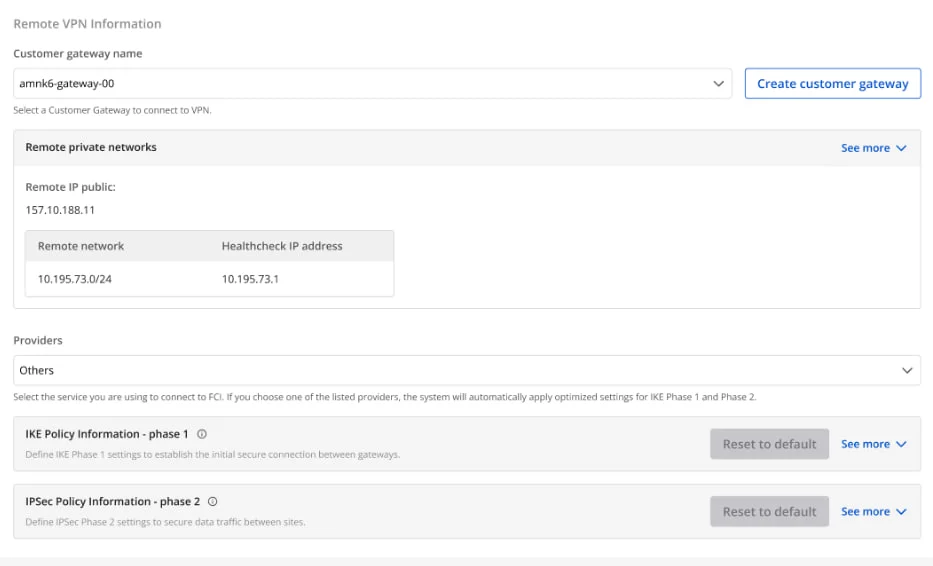
If you select Providers = "others", then follow these steps:
-
Step 1: Fill up providers name = "VMWare"
-
Step 2: Fill in the information for IKE and IPSec, specifically as follows:
For IKE:
- Encryption algorithm: aes-256
- Authorization algorithm: sha256
- IKE version: ikev2
- Lifetime units: seconds
- Lifetime value: 28800
- DH Group: GROUP_14
- Phase1 negotiation mode: main
For IPsec:
- Encapsulation mode: tunnel
- Encryption algorithm: aes-256
- Authorization algorithm: sha256
- Lifetime units: seconds
- Lifetime value: 3600
- Perfect forward secrecy (PFS): GROUP_14
- Transform protocol: esp
Section 3: Dead Peer Detection
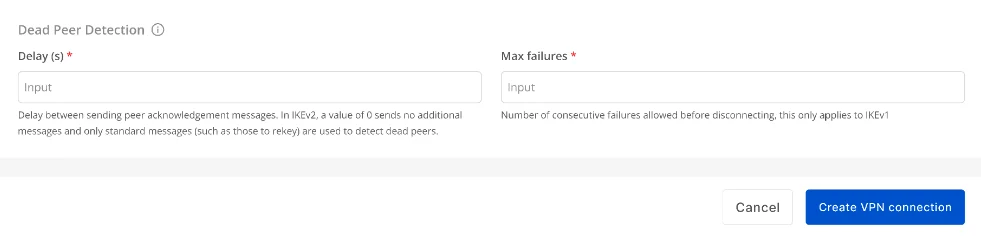
After filling in all the information, please select "Create VPN Connection"
Step 2: Configure VPN_AAS on VMWare Cloud
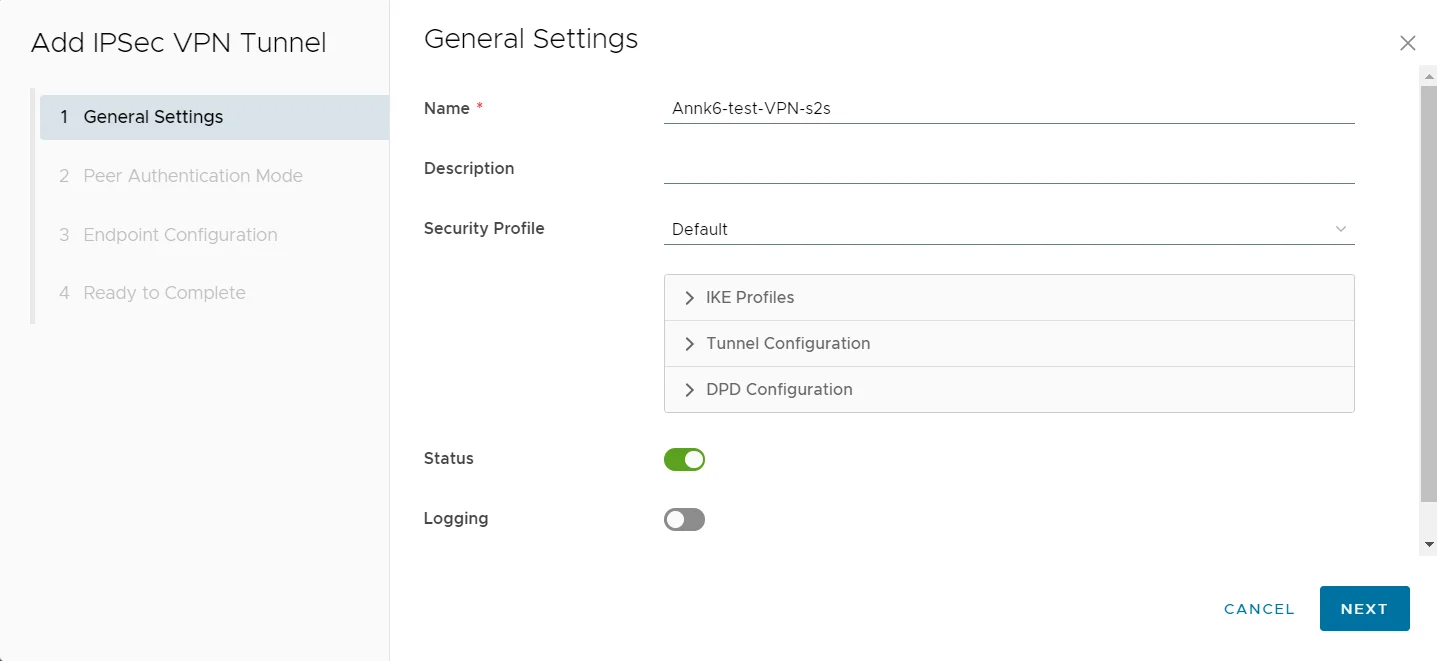
-Go to the VMWare system to set up, then click Next.
 -In the Peer Authentication tab, with the Pre-shared key parameter, enter the key you have created in OSP, then click Next.
- Enter the Endpoint Configuration fields
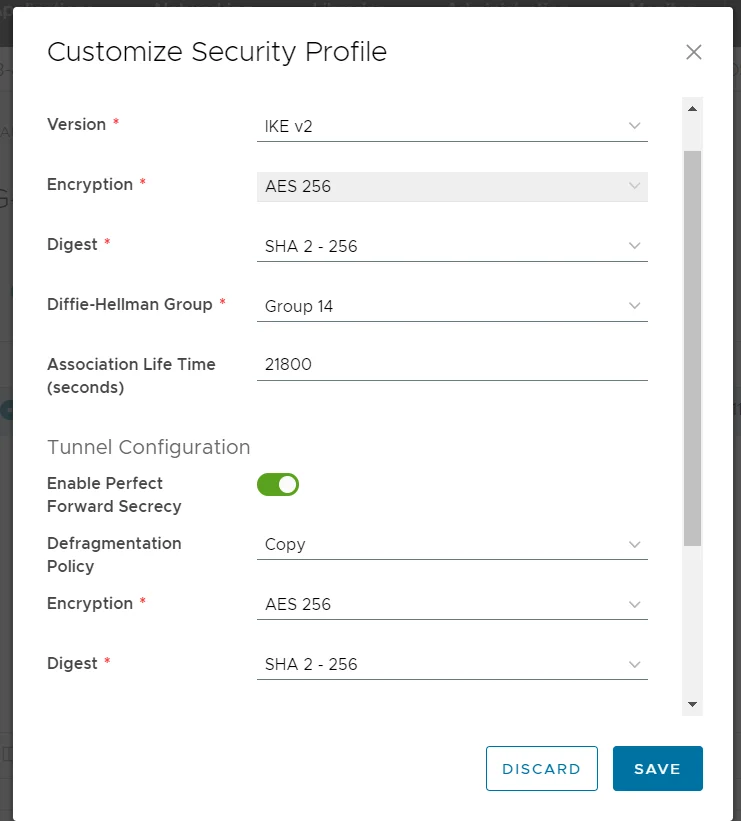
- After creation, select Customize Security Profile to edit the IKE policy, IPSec policy to match the IKE policy, IPSec policy created in OSP.
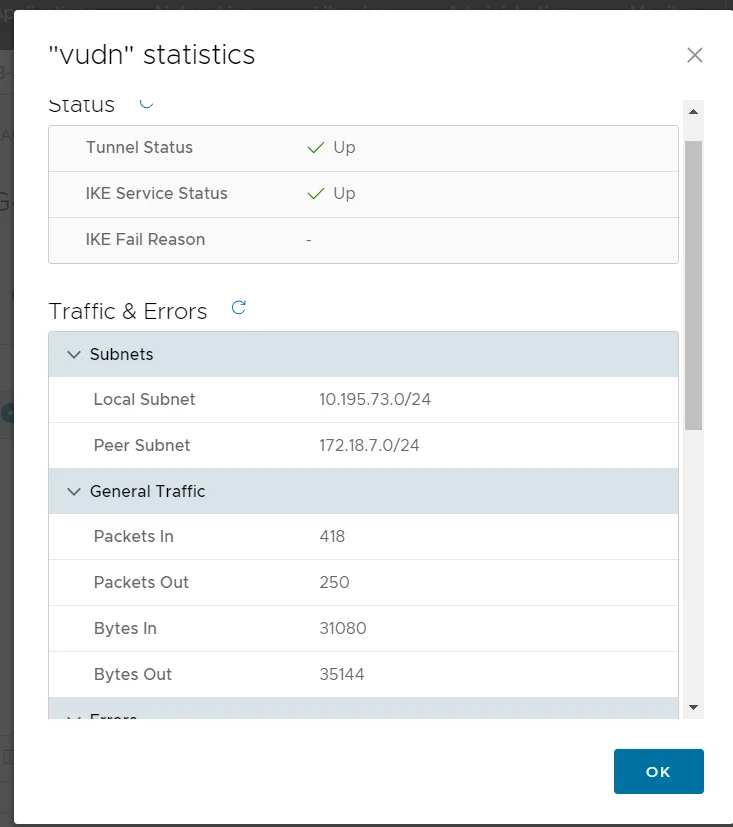
- Select View statistics, to check the connection status.
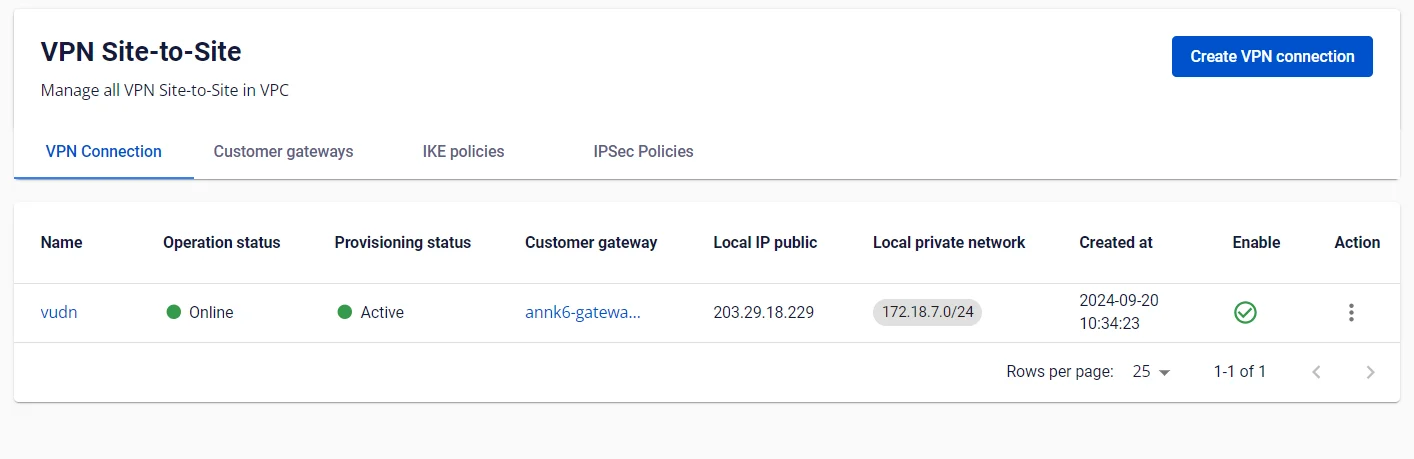
If the display status is UP, → have successfully connected between the 2 sites.file
 Step 3: Check the connection
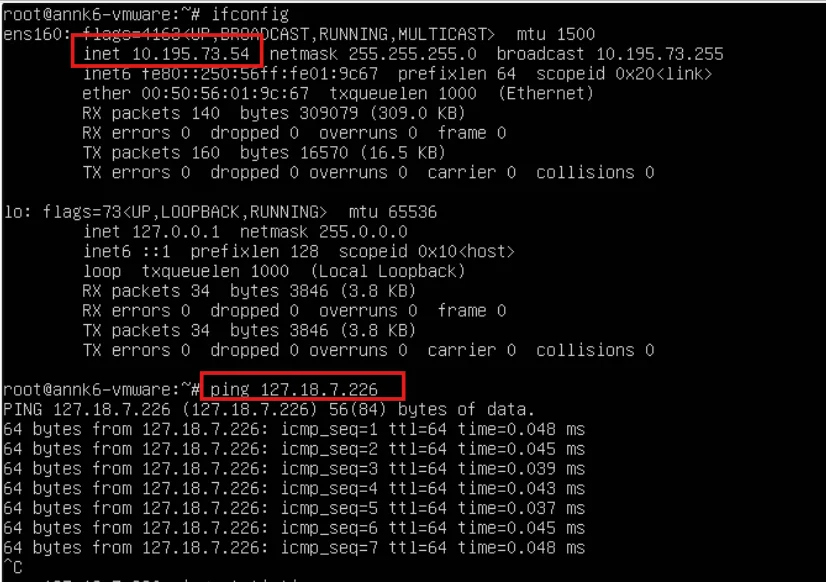
Ping from VM OPS -> VM VMWare
Step 3: Check the connection
Ping from VM OPS -> VM VMWare
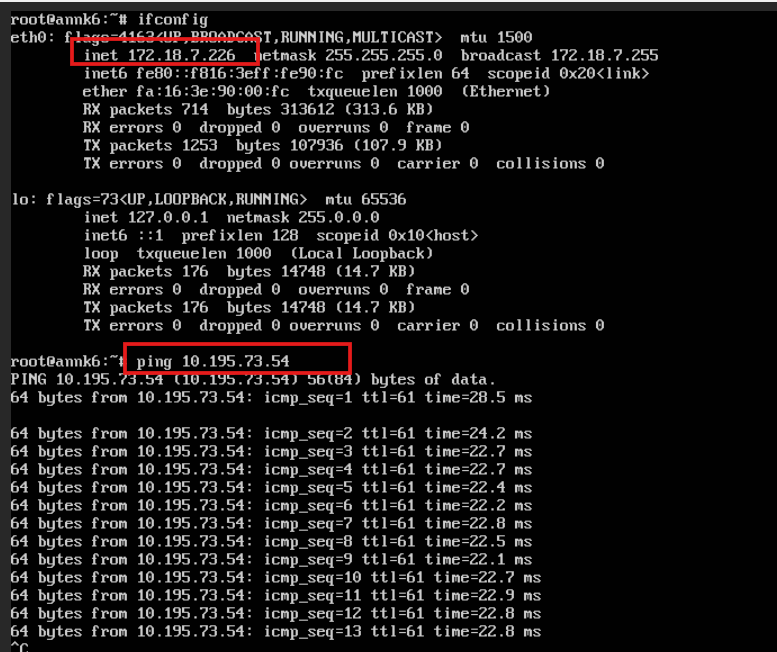 Ping from VM VM WMare-> VM OSP