
- About Us
-
 Secure, unlimited storage to ensures efficiency as well as high and continuous data access demand.
 Virtual server integration for 3D Rendering, AI or ML
 Enhance application capacity and availability.
 Access to an all-inclusive stack for AI development, driven by NVIDIA’s powerful technology!
 FPT Web Application Firewall provides powerful protection for web applications
 Advanced virtual server with rapid scalability
 Backup and restore data instantly, securely and maintain data integrity.
Advanced virtual server with rapid scalability
Access to an all-inclusive stack for AI development, driven by NVIDIA’s powerful technology!
Enhance application capacity and availability.
Backup and restore data instantly, securely and maintain data integrity.
Recovery, ensuring quick operation for the business after all incidents and disasters.
Backup and restore data instantly, securely and maintain data integrity.
Advanced virtual server with rapid scalability
Access to an all-inclusive stack for AI development, driven by NVIDIA’s powerful technology!
Enhance application capacity and availability.
Backup and restore data instantly, securely and maintain data integrity.
Recovery, ensuring quick operation for the business after all incidents and disasters.
 Diverse throughput and capacity to meet various business workloads.
Secure, unlimited storage to ensures efficiency as well as high and continuous data access demand.
FPT Web Application Firewall provides powerful protection for web applications
Intelligent and Comprehensive Virtual Web Application Firewall - Security Collaboration between FPT Cloud and Penta Security.
The Next generation firewall security service
Easily store, manage, deploy, and secure Container images
Safe, secure, stable, high-performance Kubernetes platform
Provided as a service to deploy, monitor, backup, restore, and scale MongoDB databases on cloud.
Provided as a service to deploy, monitor, backup, restore, and scale Redis databases on cloud.
Provided as a service to deploy, monitor, backup, restore, and scale PostgreSQL databases on cloud. System Monitoring Solution anywhere, anytime, anyplatform
 Helps reduce operational costs by up to 40% compared to traditional BI solutions, while improving efficiency through optimized resource usage and infrastructure scaling.
 - Pricing
- Partner
- Event
Managed – FPT Database Engine
-
 Concepts
-
 Initial Setup
-
 Tutorials
-
 Peformance & Benchmark
-
 Troubleshooting
-
 FAQs
FAQs
-
 Glossary
-
Accessing FPT Console Portal
Accessing FPT Console Portal
To use the FPT Database Engine service on the FPT Console Portal, you need to log in using the registered account credentials.
Step 1: Access the login page
Go to the FPT Cloud homepage at https://fptcloud.com/en/ and click on the Login button to navigate to the login page.
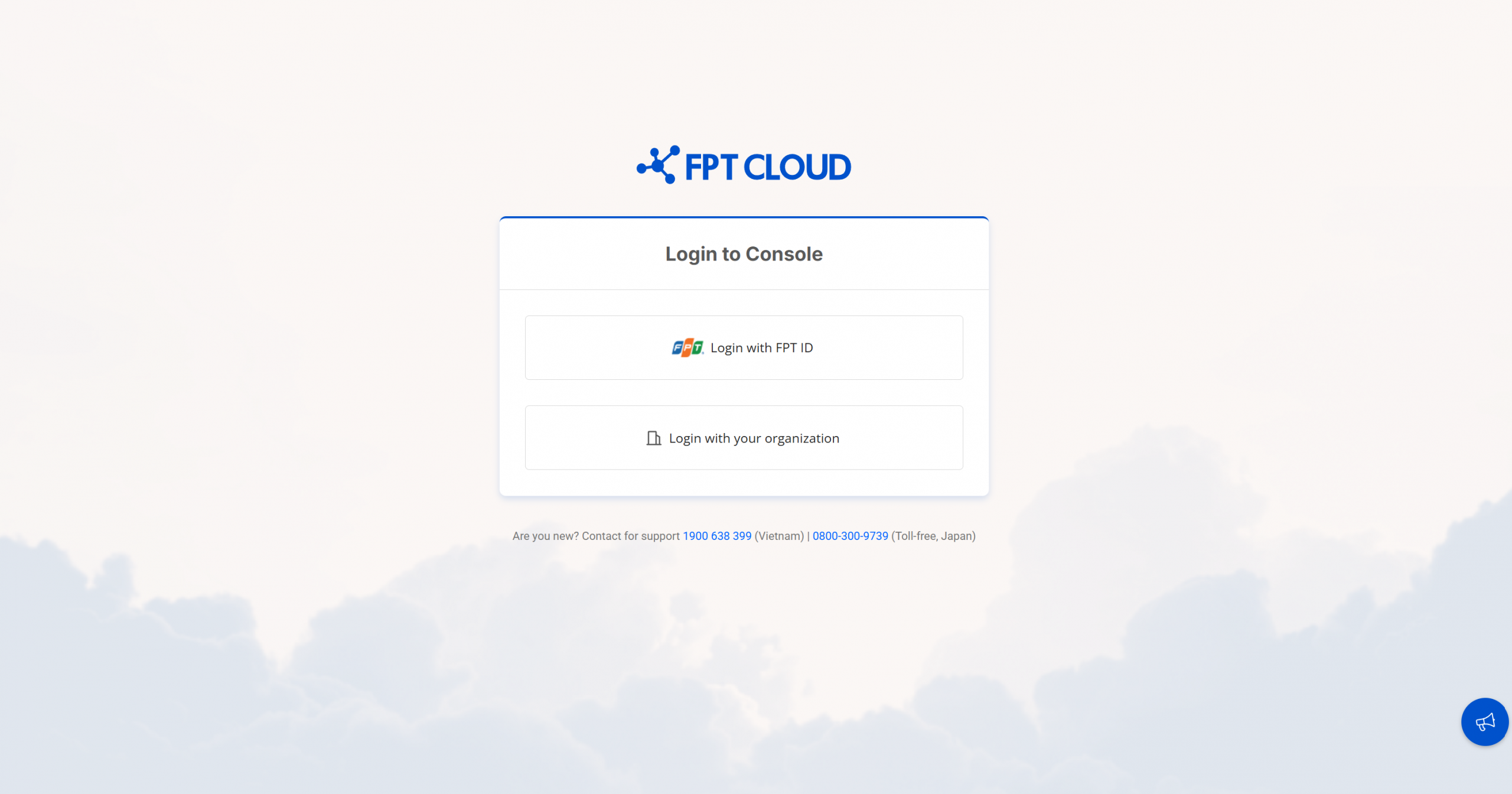
Step 2: Log in
You have two options to log in:
- Login with FPT ID: If your account is a personal FPT ID, select this option to log in. You will be redirected to the FPT login page, where you can enter the required information to continue.
- Login with your organization: If your organization has an enterprise account, select this option to log in with your organization's credentials. You will be redirected to your organization's login page, where you can enter the required information to continue.
Once you have successfully logged in, you will be directed to the FPT Console homepage, where you can manage DBaaS resources and other cloud services.
Troubleshooting login issues:
If you experience any login issues, try the following steps:
- Forgot password: If you forget your password, click the “Forgot password” link on the login page and follow the instructions to reset your password.
- Account locked: If your account is locked, please contact FPT Cloud Support to unlock your account.
- Incorrect login information: Double-check your username and password to ensure there are no typographical errors.
Note: If you continue to experience login issues, please contact FPT Cloud Support for further assistance.
© 2025 FPT Cloud. All Rights Reserved.