
- About Us
-
 Secure, unlimited storage to ensures efficiency as well as high and continuous data access demand.
 Virtual server integration for 3D Rendering, AI or ML
 Enhance application capacity and availability.
 Access to an all-inclusive stack for AI development, driven by NVIDIA’s powerful technology!
 FPT Web Application Firewall provides powerful protection for web applications
 Advanced virtual server with rapid scalability
 Backup and restore data instantly, securely and maintain data integrity.
Advanced virtual server with rapid scalability
Access to an all-inclusive stack for AI development, driven by NVIDIA’s powerful technology!
Enhance application capacity and availability.
Backup and restore data instantly, securely and maintain data integrity.
Recovery, ensuring quick operation for the business after all incidents and disasters.
Backup and restore data instantly, securely and maintain data integrity.
Advanced virtual server with rapid scalability
Access to an all-inclusive stack for AI development, driven by NVIDIA’s powerful technology!
Enhance application capacity and availability.
Backup and restore data instantly, securely and maintain data integrity.
Recovery, ensuring quick operation for the business after all incidents and disasters.
 Diverse throughput and capacity to meet various business workloads.
Secure, unlimited storage to ensures efficiency as well as high and continuous data access demand.
FPT Web Application Firewall provides powerful protection for web applications
Intelligent and Comprehensive Virtual Web Application Firewall - Security Collaboration between FPT Cloud and Penta Security.
The Next generation firewall security service
Easily store, manage, deploy, and secure Container images
Safe, secure, stable, high-performance Kubernetes platform
Provided as a service to deploy, monitor, backup, restore, and scale MongoDB databases on cloud.
Provided as a service to deploy, monitor, backup, restore, and scale Redis databases on cloud.
Provided as a service to deploy, monitor, backup, restore, and scale PostgreSQL databases on cloud. System Monitoring Solution anywhere, anytime, anyplatform
 Helps reduce operational costs by up to 40% compared to traditional BI solutions, while improving efficiency through optimized resource usage and infrastructure scaling.
 - Pricing
- Partner
- Event
Managed – FPT Database Engine
-
 Concepts
-
 Initial Setup
-
 Tutorials
-
 Peformance & Benchmark
-
 Troubleshooting
-
 FAQs
FAQs
-
 Glossary
-
The Point-in-Time Recovery (PITR) feature allows users to restore a database cluster to a specific point in the past, ensuring data continuity and reliability.
Currently, FPT Cloud supports PITR for the PostgreSQL, MySQL and MariaDB engines. This section provides detailed instructions on how to enable or disable PITR for these engines.
1. Enable PITR
Users can enable PITR for PostgreSQL, MySQL and MariaDB either during the backup service activation (see Enable backup service section) or after the backup service has already been activated by following the instructions below.
Prerequisites:
To enable PITR, the database cluster must have at least one full backup job configured. Please create a full backup job before proceeding with PITR activation.
If PITR is enabled without an existing full backup job, the system will display a warning dialog.
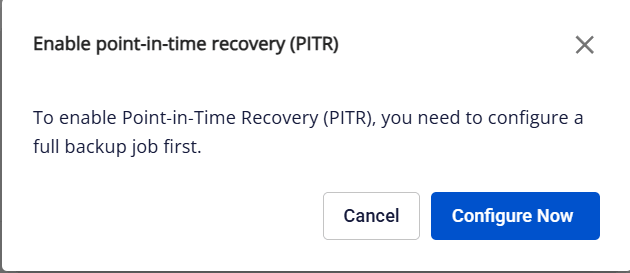
Select Configure Now to complete the creation of a full backup job before proceeding with PITR activation.
PITR enabling instructions:
On the backup service management screen, click Enable PITR (gear icon next to the PITR status).
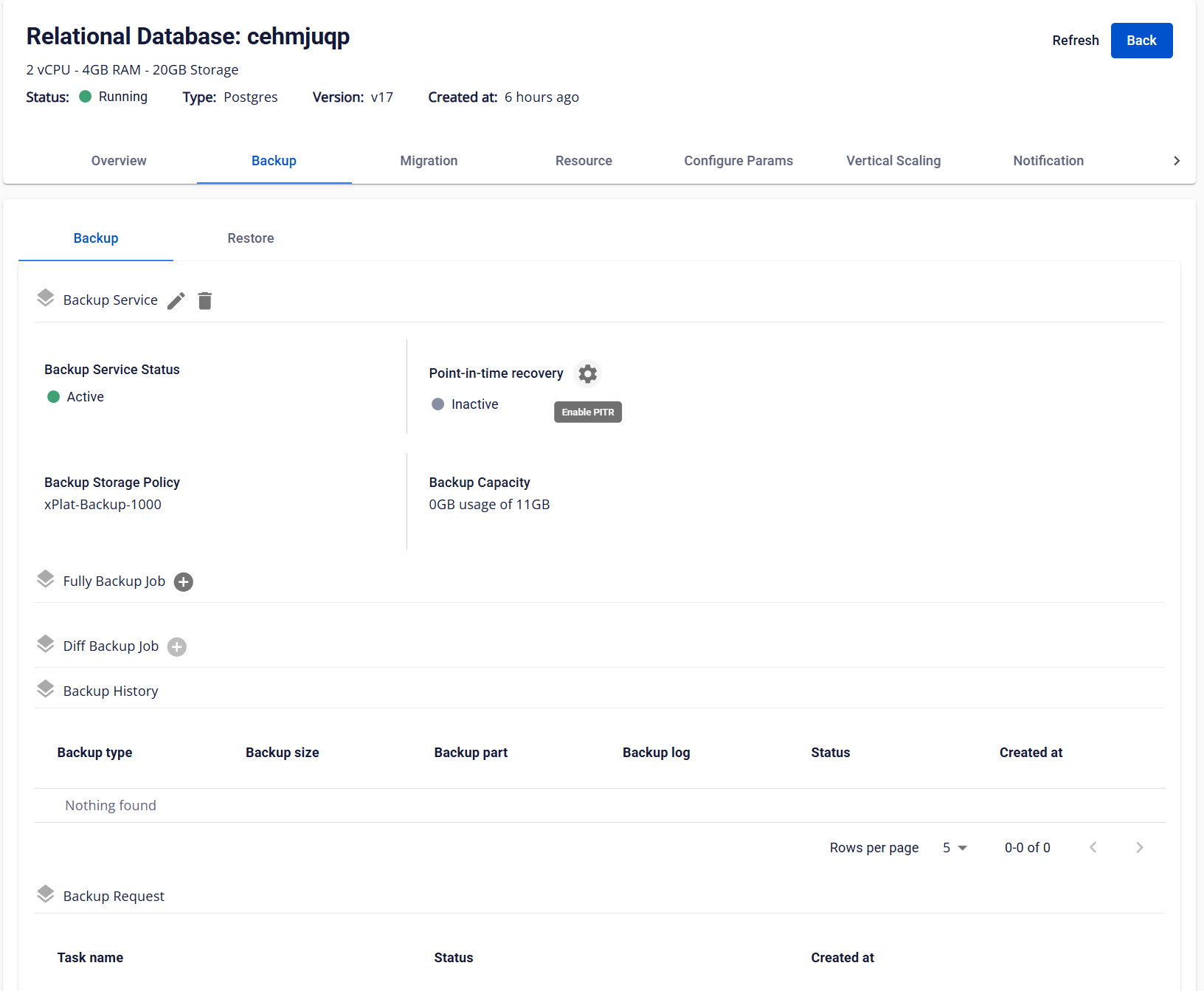
The system will display a confirmation dialog.
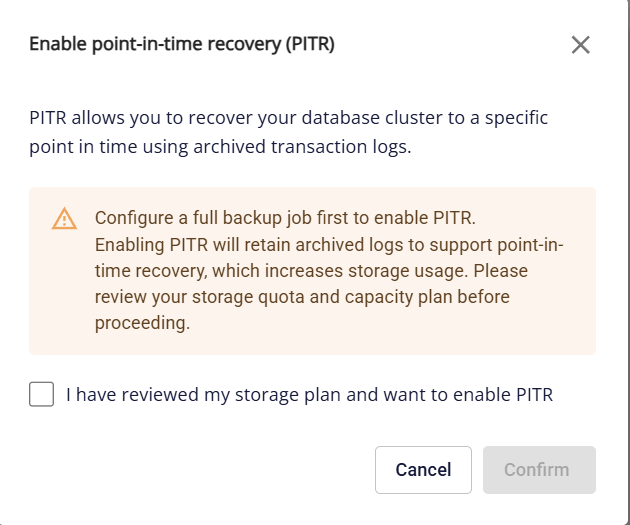
Enabling PITR will increase storage usage and incur additional costs. Users should evaluate and estimate the expected storage consumption before proceeding.
To enable the feature, select the confirmation checkbox and click Confirm.
After activation, PITR does not take effect immediately. The system must first create the next full backup. Once PITR becomes available, you can restore the database cluster to any point in time starting from that full backup. Any data changes that occurred before this full backup are not protected by PITR and cannot be restored.
For PostgreSQL HA cluster:
- If the cluster was created before March 13, 2026: Enabling PITR will automatically restart the cluster. The UI will display the warning: “Enabling PITR will automatically restart the database cluster. A brief service interruption may occur.”. This restart may cause a short service interruption. It is recommended to enable PITR during off-peak hours to minimize impact.
- For all other cases (non-HA clusters or HA clusters created after March 13, 2026 ): Enabling PITR does not require a cluster restart and will not cause service interruption.
2. Disable PITR
To disable PITR, in the backup service management screen, click the Disable PITR button (gear icon next to the PITR status). The system displays a confirmation dialog:
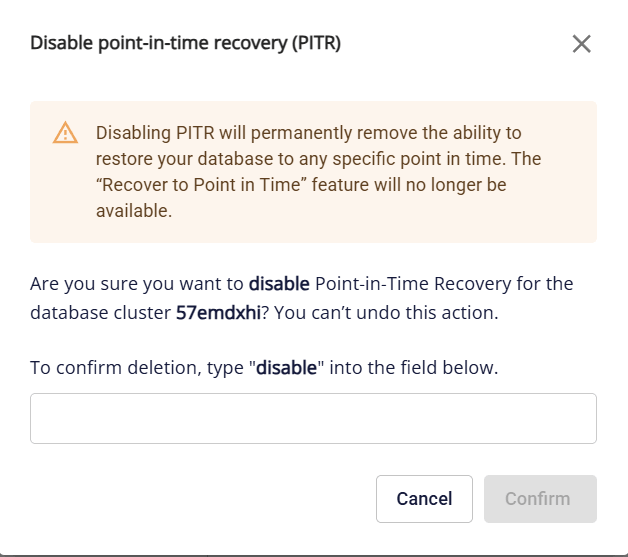
Enter “disable” and click Confirm to proceed. Once PITR is disabled, you will no longer be able to restore the database cluster to any point in the past.